
Piso WiFi Pause Time: How to Pause and Resume Your Time at 10.0.0.1
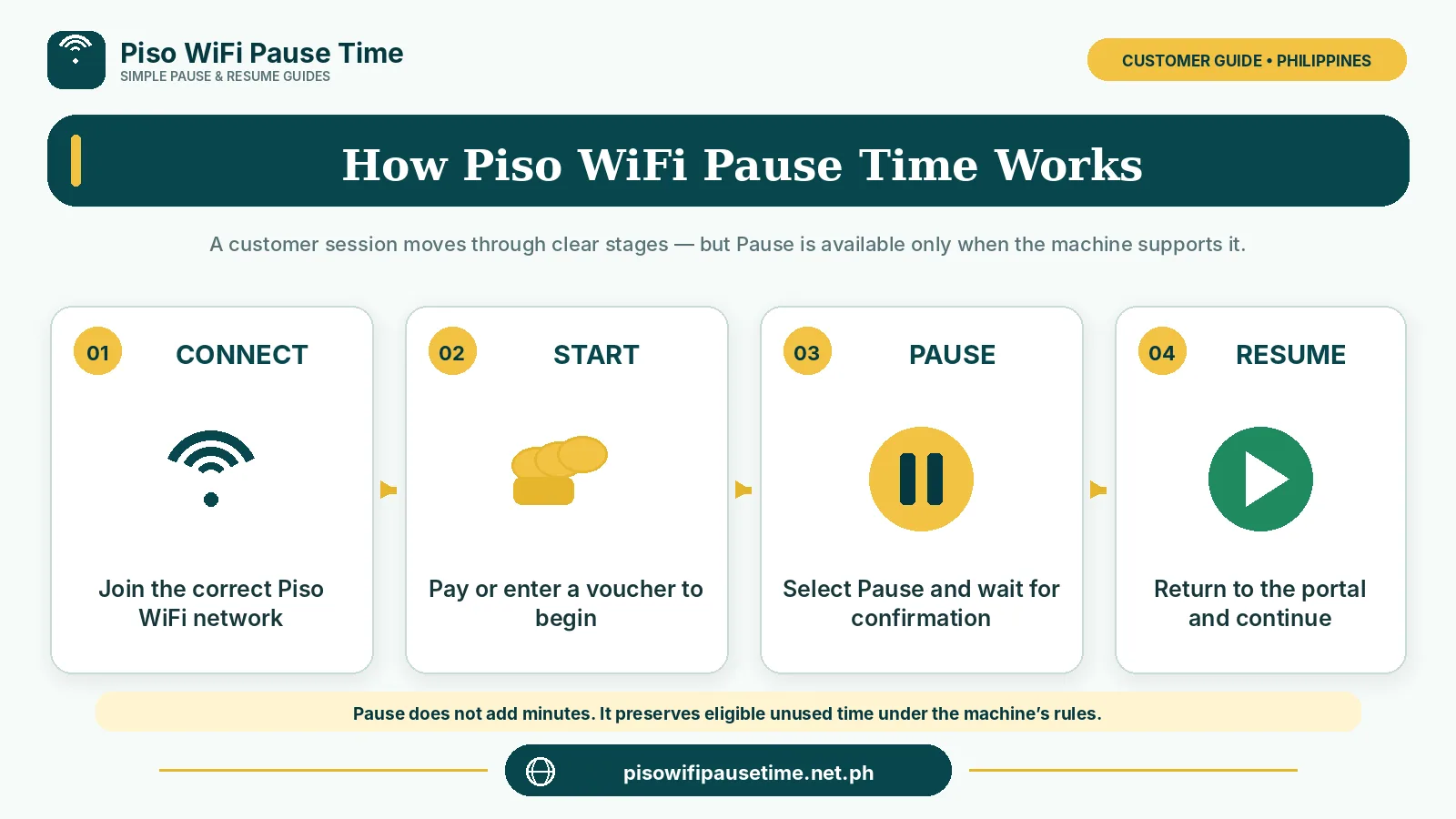
To save your Piso WiFi minutes, pause the timer at http://10.0.0.1 — your remaining time freezes until you tap Resume.
On your phone: join the vendo WiFi, turn mobile data off, open http://10.0.0.1, then tap Pause or Pause Time. When you come back, open the same portal and tap Resume.
If Pause is missing, that machine may not support it—or the vendo owner (for example on LPB) has not enabled Pause Time.
http://10.0.0.1Quick answer
Quick answer: How do you pause Piso WiFi time?
How to Access the Piso WiFi Portal at 10.0.0.1
What Is 10.0.0.1 in Piso WiFi?
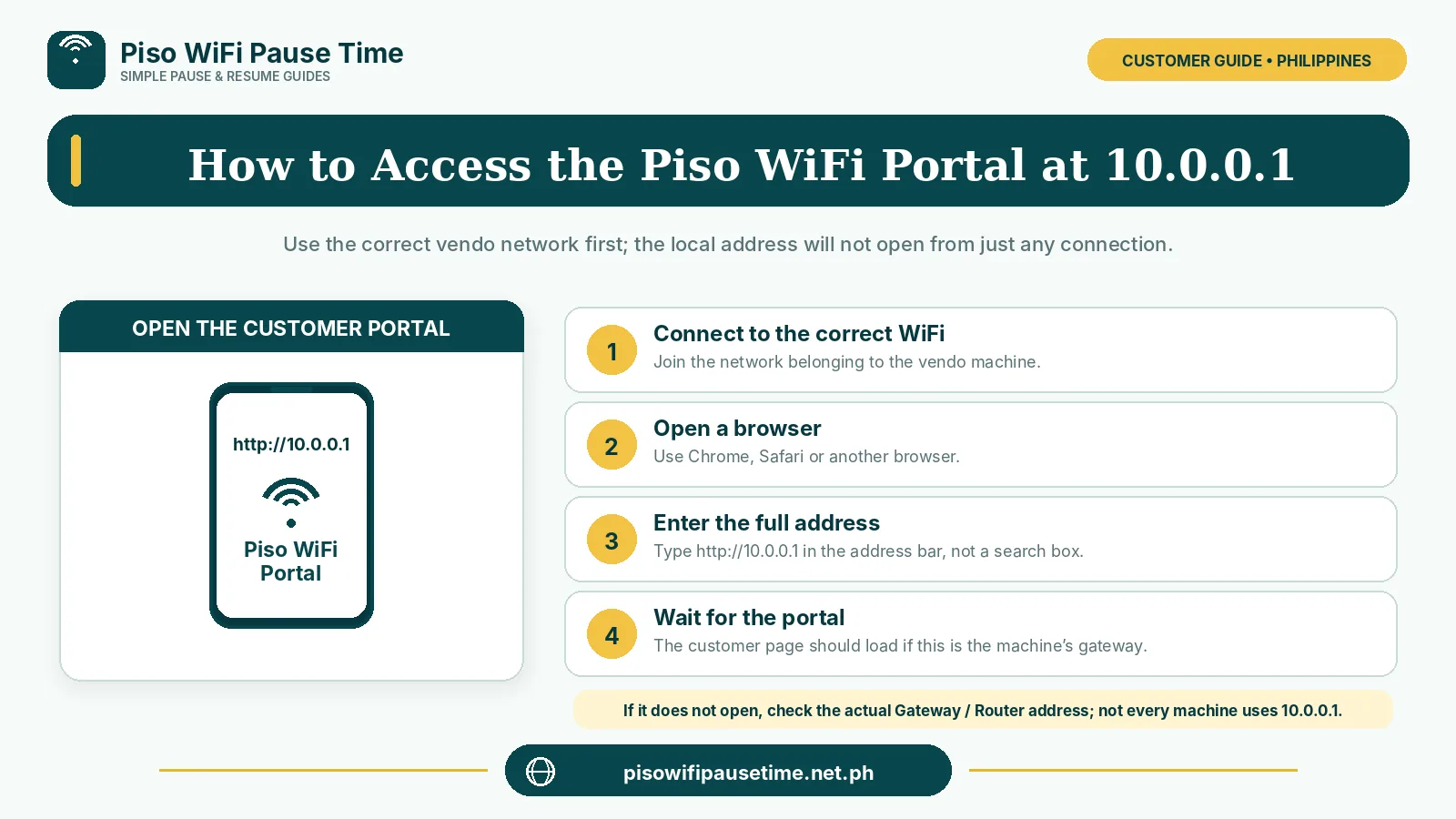
10.0.0.1 is a private IPv4 address. A Piso WiFi machine may use it as a local gateway or customer portal address. It works within a local network; it is not a public website. You normally need to connect to the correct Piso WiFi network before opening it.
http://10.0.0.1
Local network only — connect to the vendo WiFi first.
How to Open 10.0.0.1 on Your Phone
- Open your phone's WiFi settings.
- Connect to the Piso WiFi network.
- Open Chrome, Safari or another browser.
- Enter
http://10.0.0.1in the address bar. - Press Go and wait for the portal to load.
Is 10.0.0.0.1 the Same as 10.0.0.1?
10.0.0.1 is a valid IPv4 address containing four numerical parts.10.0.0.0.1 has five parts and is not valid standard IPv4 notation.No. Use the actual gateway assigned by your network.
What Is the Difference Between 10.0.0.1 and 10.0.0.1/admin?
10.0.0.1The root address may open the customer portal. Customers should use the customer-facing portal and should not attempt to change administrator settings.
10.0.0.1/adminAn /admin path may lead to an administrator interface on some installations. Exact paths vary.
What Other IP Addresses Can Piso WiFi Use?
Different networks can use different private gateway addresses. Examples include:
These are examples, not a verified list of every Piso WiFi portal. Use the address assigned by your network.
How to Find Your Actual Piso WiFi Gateway Address
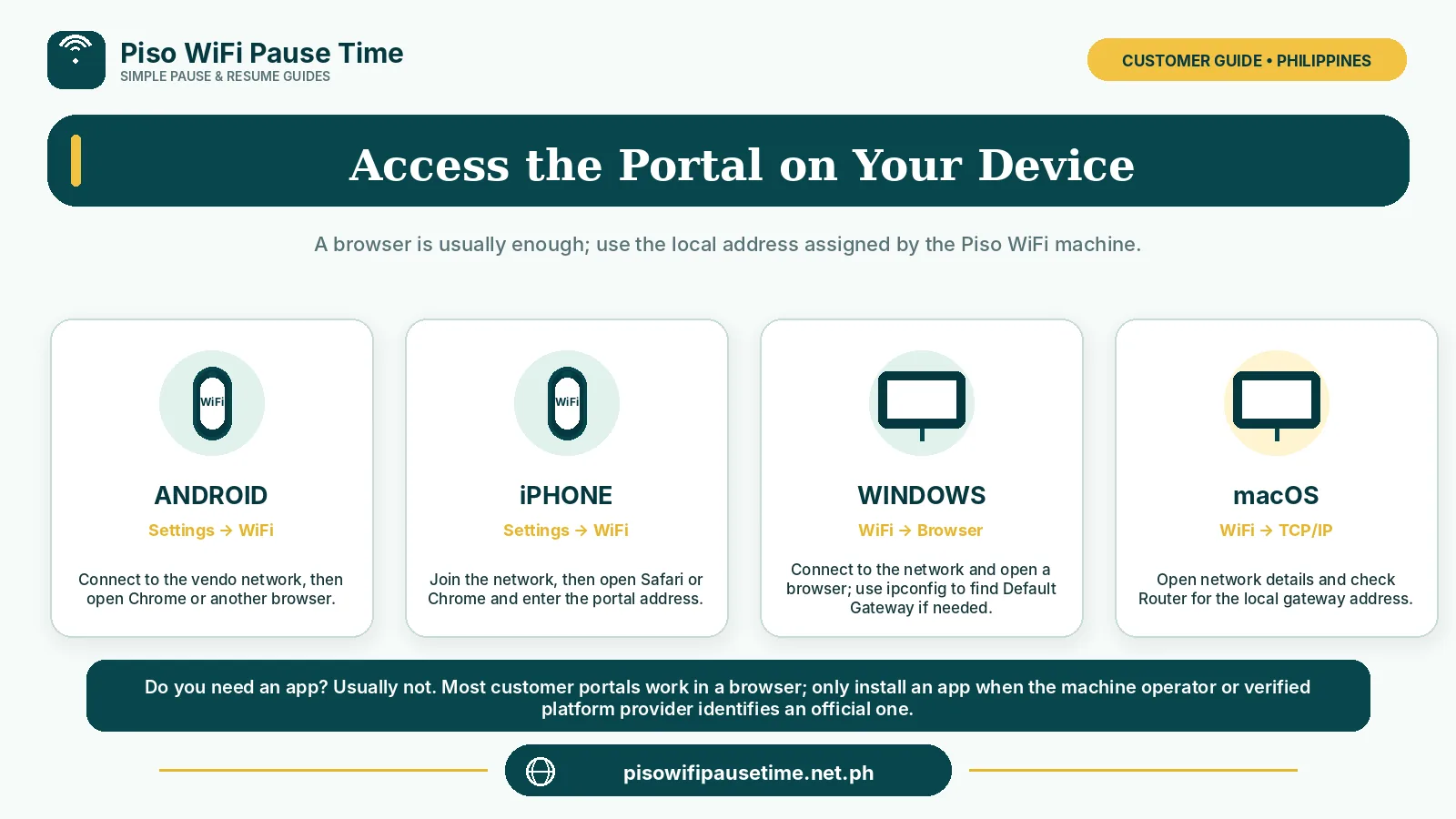
Android
- 1Open Settings
- 2WiFi
- 3tap the connected network
- 4open network details
- 5look for Gateway or Router
Menu names vary by Android version.
iPhone
- 1Open Settings
- 2WiFi
- 3tap the information icon beside the connected network
- 4look for Router
Windows
- 1Open Command Prompt, enter ipconfig
- 2find Default Gateway under the active wireless adapter
macOS
- 1Open System Settings
- 2WiFi
- 3network details
- 4TCP/IP
- 5Router
How to Pause Your Piso WiFi Time
Use these steps when the machine supports Pause Time and your session is eligible. The portal layout may look different depending on the vending platform.
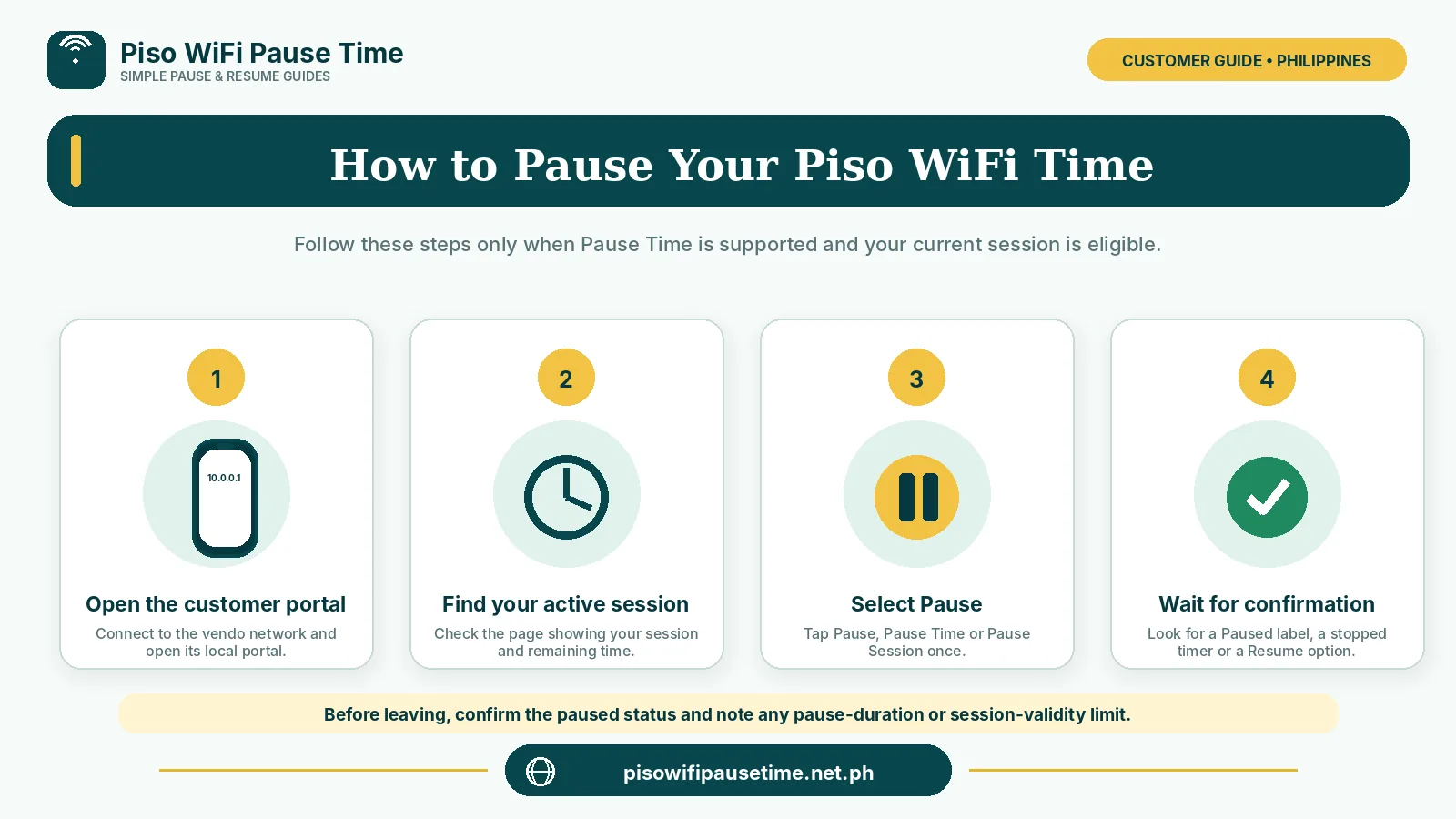
Open your phone's WiFi settings, find the network belonging to the vendo machine and connect. If your phone is connected to home WiFi or another hotspot, the local portal may not open.
Open Chrome, Safari or another browser. Enter http://10.0.0.1 in the address bar. If it does not load, check the actual gateway address used by the machine.
If you have not purchased access, complete the payment or voucher process supported by the machine. If you already have a session, find the page showing your timer and remaining time.
Look for Pause, Pause Time or Pause Session near your session details or countdown. If the button is not visible, the feature may be disabled or unavailable for that session.
Select Pause once and allow the portal to process the request. Do not immediately close the browser or disconnect before checking the result.
Look for a Paused status, a stopped countdown, remaining minutes or a Resume button. The exact confirmation depends on the platform.
How to Know If Your Piso WiFi Session Was Successfully Paused
- The portal displays Paused or a similar status.
- The applicable countdown no longer decreases.
- Your remaining time is still displayed.
- A Resume or Continue option appears.
Check the remaining minutes, confirm the paused status, remember which vendo network you used and check whether the machine has a pause or expiration limit.
How to Resume Your Piso WiFi Session
When you are ready to use your remaining internet time, return to the original network and open its customer portal again. Using the original device is the safest first step because some systems associate a session with the device that started it.
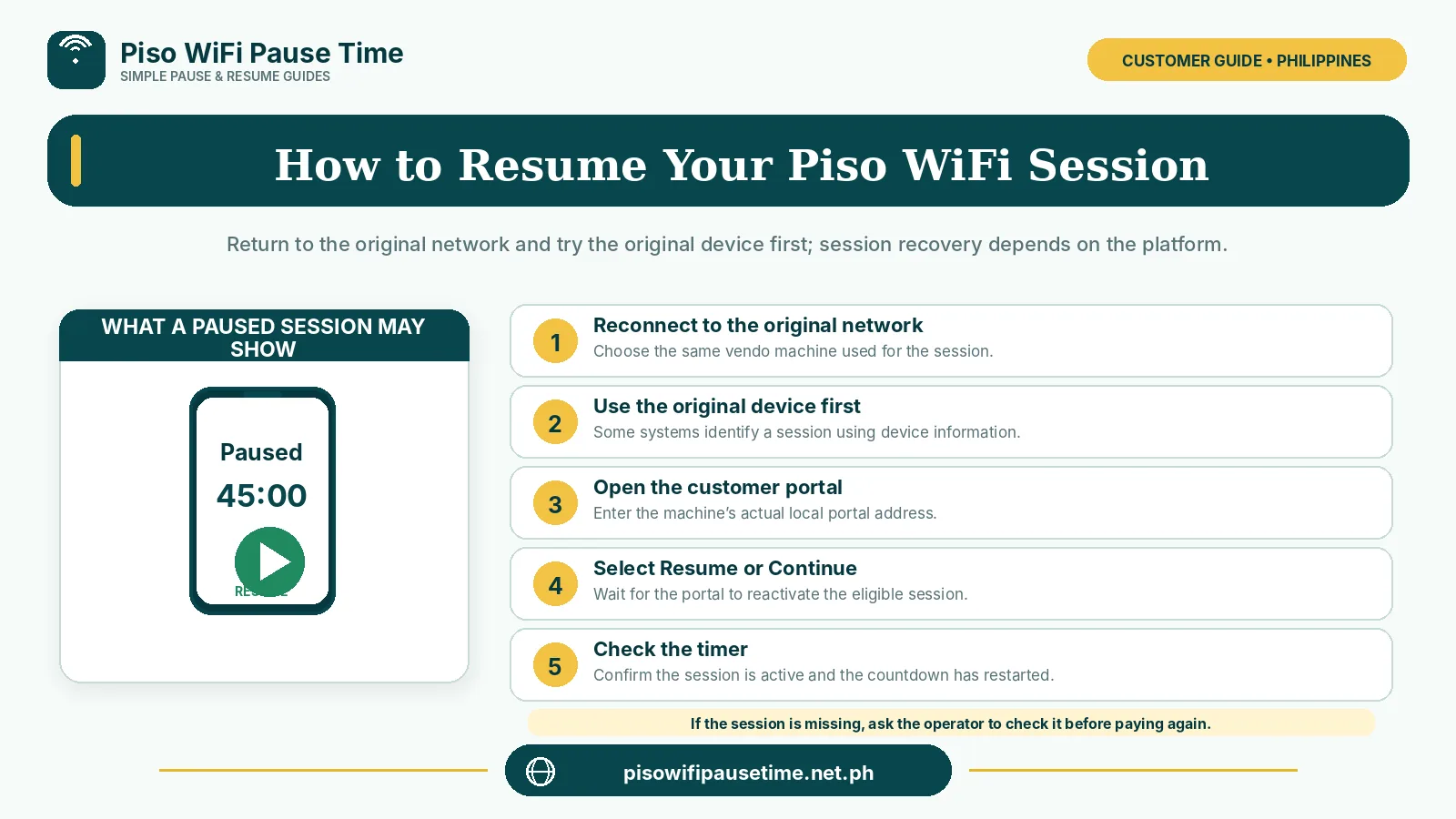
Open WiFi settings and connect to the same vendo machine you used earlier.
Some platforms match sessions using device information. Other platforms may support cloud synchronization or session transfer. The original device avoids unnecessary session-recognition problems.
Enter http://10.0.0.1, or use the actual local address for that machine.
If your session is still available, the portal may display a control with one of these labels. Select it and wait for the system to process the request.
Confirm that the session is active and the countdown has started again. If the displayed time is unexpected, check the session validity and pause rules before paying again.
Why Is the Resume Button Missing?
- The pause period or session validity has expired.
- You connected to a different vendo network.
- You are using another device.
- The machine restarted or the session was removed.
- The portal is showing an outdated page.
- The platform does not support the expected resume process.
Can You Close the Browser After Pausing?
Closing a browser tab does not necessarily end a successfully paused session. Many systems manage session information on the vending platform. Still, confirm the paused status before leaving and follow the operator's instructions.
What Is Piso WiFi Pause Time?
Piso WiFi Pause Time is a session feature that allows customers to temporarily stop an eligible prepaid internet session. It is designed to prevent unused purchased minutes from being consumed while the customer is away.
What Does Piso WiFi Pause Time Mean?
When you select Pause Time, the vending system processes a request to change your session from active to paused. On a supported configuration, the countdown stops and the remaining time is kept according to the machine's rules. You can later return to the portal and select Resume, Resume Time or Continue.
Why Do Piso WiFi Users Need Pause Time?
Pause Time is useful when you need to leave temporarily, answer a call, run an errand or take a break from browsing. It can help you make better use of prepaid internet time instead of leaving an active timer running while you are away.
Does Pause Time Save Your Remaining Internet Minutes?
That is its main purpose. For example, if you buy 60 minutes and use 15 minutes, around 45 minutes remain. If the system accepts your pause request, it is intended to preserve those unused minutes while the session is paused. Pause Time does not add extra minutes.
- Pause Time does not add extra minutes.
- Remaining time does not guarantee unlimited session validity.
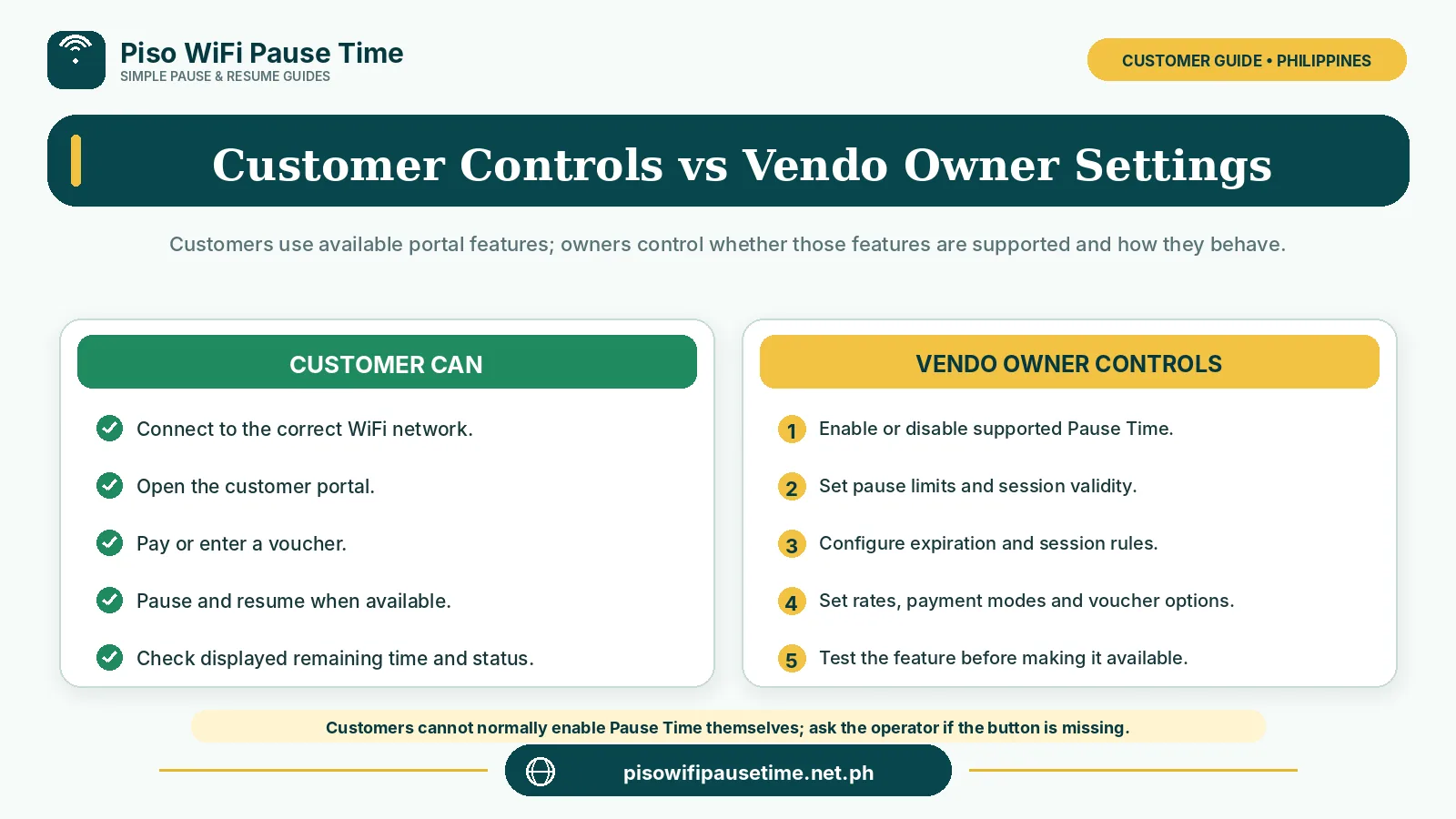
- Customers cannot normally enable Pause Time themselves.
Does Pausing Stop Internet Access?
On many configurations, yes. Internet access through the paused session is suspended while the session timer is held. Your phone may still use mobile data or another WiFi network; that does not mean the Piso WiFi session has resumed.
Is Pause Time Available on Every Piso WiFi Machine?
No. Availability depends on the vending software, version, session type and owner settings. If the Pause button is missing, the feature may be disabled or unavailable for your session. Customers cannot normally enable it themselves.
Remaining time and session validity are different. A session may have unused minutes but still become unavailable when its configured validity or pause limit expires.
How Does Piso WiFi Pause Time Work?
Pause Time works through the session-management system used by the vending machine. The portal displays the controls, while the vending platform processes the session and timer changes.
How Does a Piso WiFi Internet Session Start?
You connect to the correct WiFi network, open the captive portal and complete the payment method offered by the machine. This may be coin payment, a voucher or another supported option. When payment is accepted, the system activates a session and displays the available time.
How Does the Pause Function Stop the Timer?
When you tap Pause, the system checks whether the session can be paused. If accepted, it changes the session status, suspends access and holds the remaining time according to its configuration. The portal may show a Paused label, a stopped timer or a Resume button.
What Happens When You Resume a Paused Session?
When you return, the portal attempts to identify the previous session. If it is still valid, selecting Resume changes it back to an active state and the countdown starts again. Some systems also offer cloud synchronization or session transfer; these features are platform-specific.
What Are the Different Piso WiFi Session States?
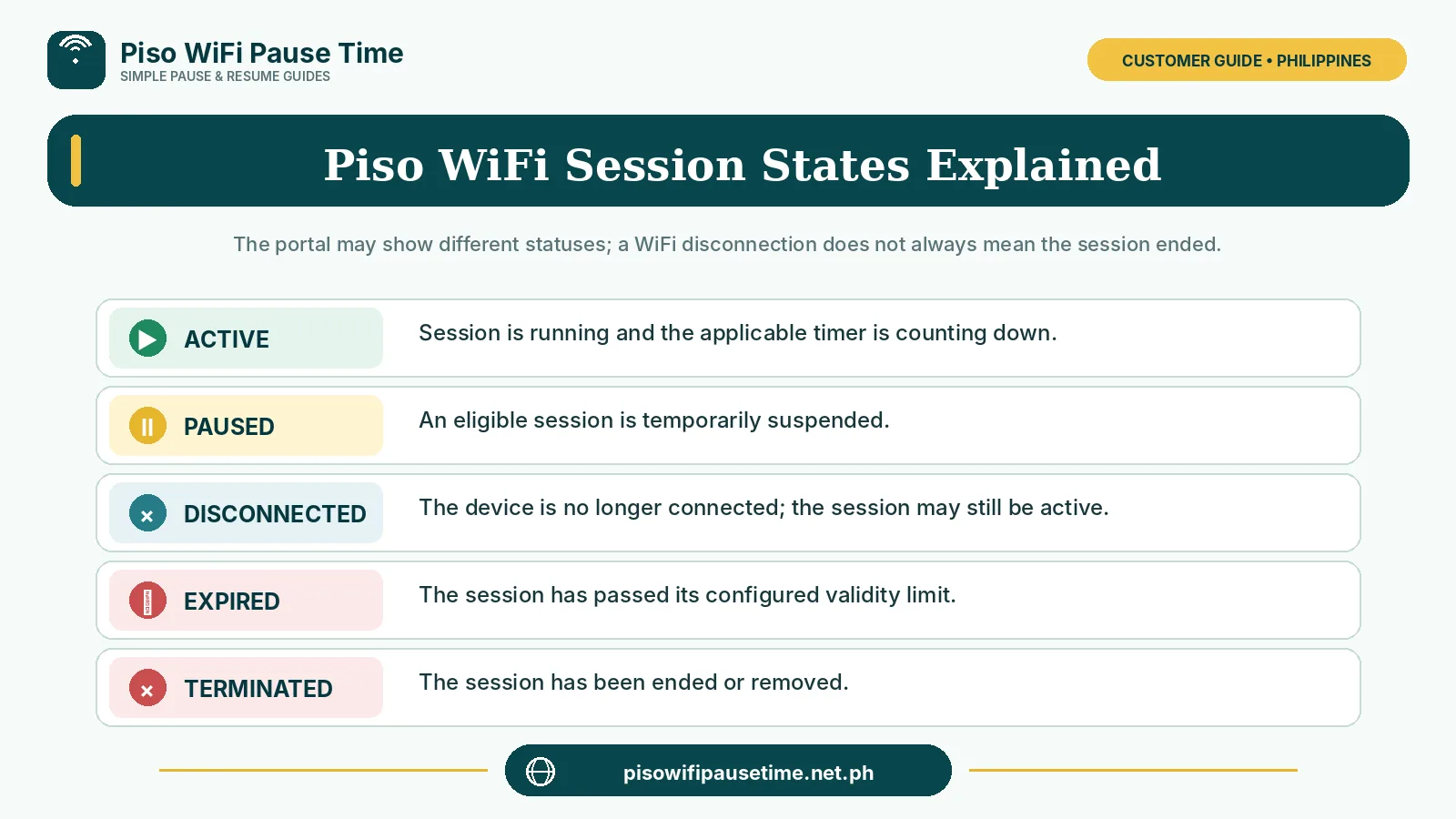
Active — Meaning: The session is running and its applicable timer is counting down.
Paused — The eligible session is temporarily suspended.
Disconnected — The device is no longer connected to the WiFi network; the session may still be active.
Expired — The session has passed its configured validity limit.
Terminated — The session has been ended or removed.
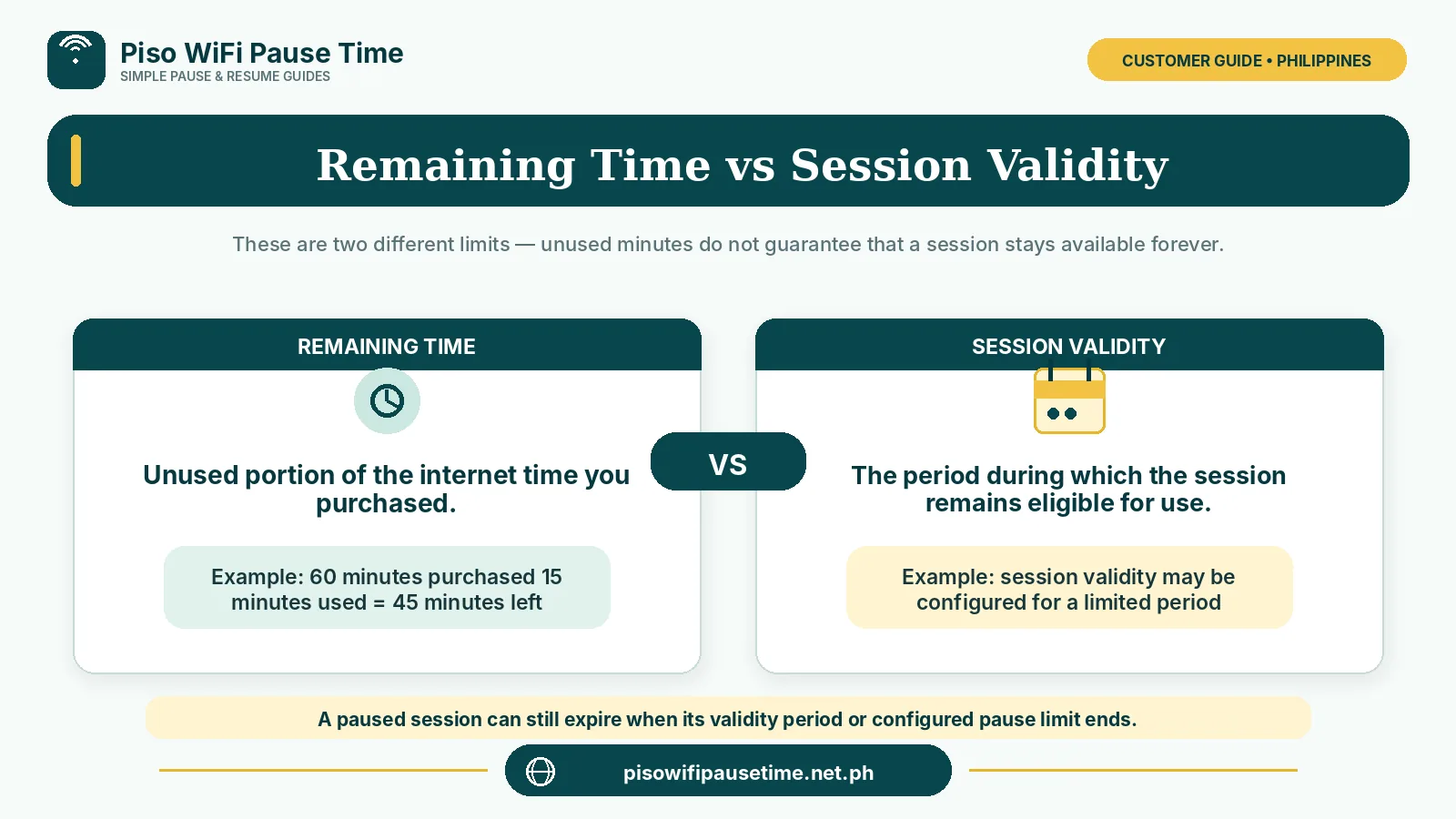
Remaining Time vs Session Validity
Remaining time is the unused portion of the purchased internet time. Session validity is the period during which the session remains eligible for use. A paused session can still expire if the operator has configured an expiration or maximum pause period.
Manual Pause vs Automatic Pause
Manual pause happens when you select the Pause control.
Automatic pause may be available on some platforms when a configured condition occurs, such as a disconnection or internet outage. Do not assume every Piso WiFi machine automatically pauses when your phone disconnects.
Chrome Piso WiFi Pause Time: Browser Instructions
How to Open Piso WiFi Pause Time Using Google Chrome
- Connect to the correct Piso WiFi network.
- Open Google Chrome.
- Tap the address bar.
- Enter
http://10.0.0.1. - Press Go and wait for the portal.
- Find your active session and select Pause Time if available.
Chrome Piso WiFi Pause Time on Samsung Phones
Samsung users can connect through Settings → Connections → WiFi, then open Chrome or Samsung Internet and enter the local portal address. If the portal does not load, temporarily turn off mobile data or a VPN while troubleshooting. Menu names may vary by device.
Why Does Chrome Search for 10.0.0.1 Instead of Opening It?
Chrome may treat text as a search query if it does not recognize it as a web address. Enter the full address, including http://, directly in the address bar rather than a search field on a webpage.
How to Fix Chrome When the Portal Is Not Loading
- Check that you are connected to the correct network.
- Enter the full local address manually.
- Temporarily turn off your VPN.
- Temporarily turn off mobile data if it interferes with local access.
- Try a new tab or another browser.
- Check the actual gateway address.
- Ask the operator whether the machine is online.
Does Chrome Need a Special Piso WiFi Extension?
No special extension is normally required for a browser-based customer portal. The vending software provides the Pause and Resume controls when supported. Be careful with third-party extensions and check their publisher and permissions before installing them.
How to Pause Piso WiFi on Android, iPhone and Windows
How to Pause Piso WiFi on Android
- 1Open Settings and select WiFi.
- 2Connect to the Piso WiFi network.
- 3Open Chrome.
- 4Enter
http://10.0.0.1. - 5Find your active session and select Pause Time.
- 6Wait for the confirmation.
If the portal does not open, temporarily turn off mobile data and check the gateway address.
How to Pause Piso WiFi on iPhone
- 1Open Settings → WiFi.
- 2Connect to the Piso WiFi network.
- 3Wait for a sign-in notification if one appears.
- 4If needed, open Safari and enter
http://10.0.0.1. - 5Open your active session and select Pause Time.
If the address fails, check the Router field in the WiFi network information. Apple's Private WiFi Address may affect device recognition on some systems, but do not change privacy settings unnecessarily.
How to Pause Piso WiFi on Windows
Connect to the network, open a browser, enter the portal address and select Pause Time on your active session. To find the gateway, open Command Prompt and run:
ipconfigLook for Default Gateway under the active wireless adapter.
How to Pause Piso WiFi on Samsung
Open Settings → Connections → WiFi, connect to the vendo network, then open Chrome or Samsung Internet and visit the correct local portal. Find the active session, tap Pause and verify the paused status.
What If Your Phone Disconnects When Its Screen Locks?
Some phones manage WiFi differently when the screen is locked or battery-saving settings are active. Check WiFi settings, battery restrictions and automatic mobile-data switching. A screen lock or disconnection is not proof that Pause Time has been activated.
Piso WiFi Pause Time App: Do You Need an Application?
Can You Pause Piso WiFi Without Downloading an App?
Yes, when the machine provides a browser-based Pause Time feature. Connect to the vendo network, open the customer portal and use the session controls. You do not normally need another application for this process.
How Does the Piso WiFi Pause Time Website Work?
The customer portal is provided by the vending system. It may allow customers to start a session, enter a voucher, view remaining time and pause or resume an eligible session. An independent guide website can explain the process, but it cannot directly pause your session; the vending system must process that request.
Is There an Official Piso WiFi Pause Time App?
There is no single universal application that controls every Piso WiFi machine. Different operators use different platforms. Verify the developer and official status of any application before downloading it.
What About the 1Click Piso WiFi Chrome Extension?
Before using a third-party extension, check who developed it, whether it is currently available, its permissions and whether it is compatible with your setup. Do not assume an extension is required for the standard Pause Time feature.
Should You Download an APK for Piso WiFi Pause Time?
Be cautious with APK files from unknown websites. Verify the developer, review permissions and avoid modified applications. Never provide administrator credentials or unrelated personal information to an untrusted app.
Browser Portal vs Application vs Chrome Extension
Purpose: Access the customer session. Usually the first method to try.
Purpose: Use features from a particular developer. Availability depends on the platform.
Purpose: Optional browser functionality. Check publisher, permissions and compatibility.
LPB vs AdoPiSoft vs PisoFi vs JuanFi vs 1Click Piso WiFi
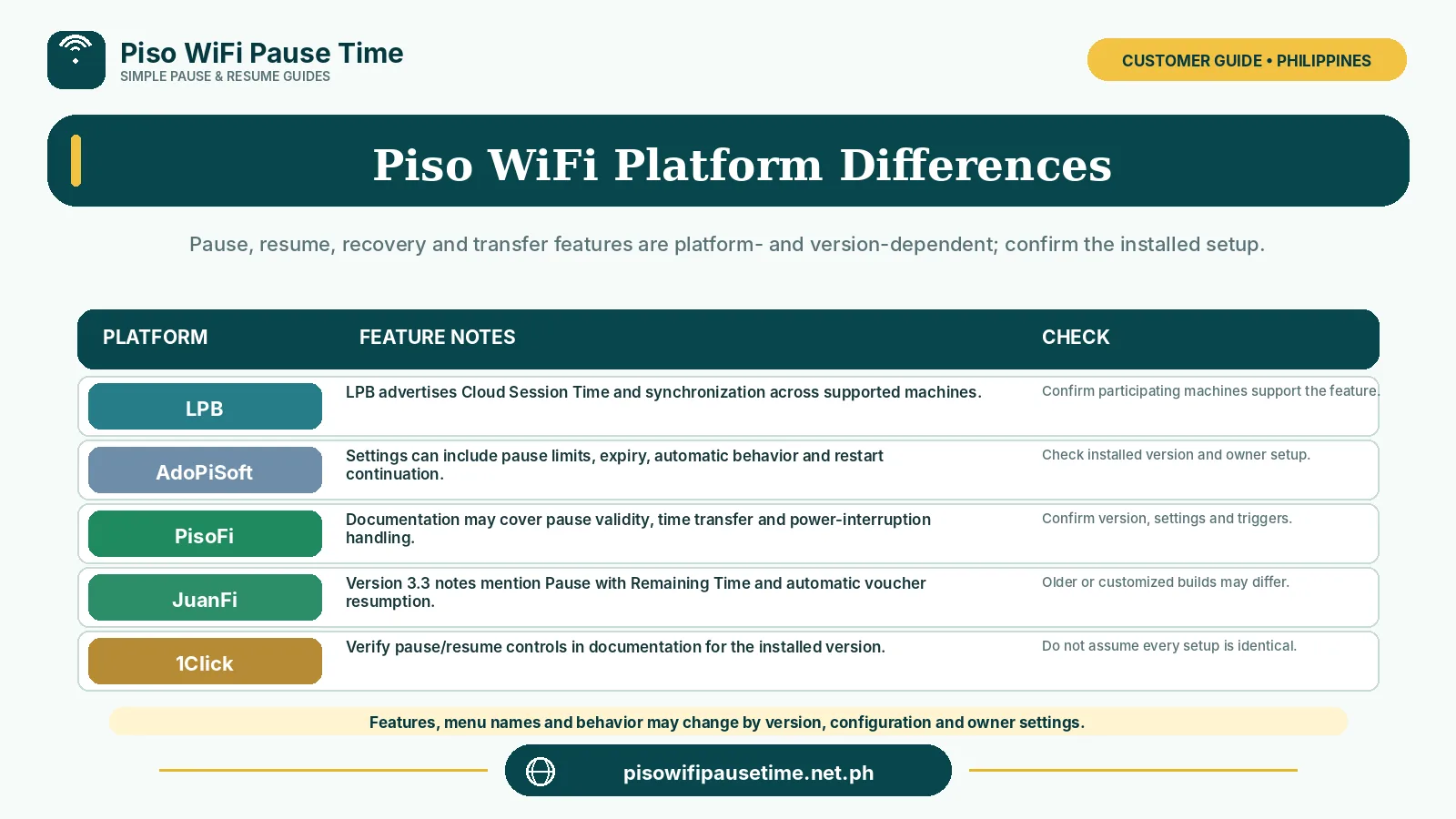
Different Piso WiFi machines use different vending software, versions and owner settings. This explains why portal layouts and session controls may differ.
LPB Piso WiFi – Pause and Resume Features
LPB advertises Cloud Session Time. According to the provider, customer session time can be synchronized across supported LPB machines, allowing users to pause and resume across participating machines. This is a platform-specific capability, not a universal feature of all Piso WiFi networks.
AdoPiSoft – Session Controls and Pause Settings
AdoPiSoft documentation describes session-management settings that can affect pause behavior, pause limits, session expiration, automatic pause/resume and continuation after a restart. The actual options depend on the installed version and configuration.
PisoFi – Pause Time, Validity and Session Transfer
PisoFi documentation describes session-management features that may include Pause Time, pause validity, automatic behavior, live time transfer and power-interruption handling. Check the documentation for the installed version before relying on a particular feature.
JuanFi – Pause with Remaining Time
JuanFi is an open-source Piso WiFi project associated with MikroTik-based installations. Its v3.3 release notes mention Pause with Remaining Time and automatic voucher resumption when connected to WiFi. This is version-specific evidence; older or customized builds may differ.
1Click Piso WiFi – Portal and Pause Time
Check the specific software version and its documentation to confirm the available Pause Time functionality. Do not assume that every installation has identical controls.
What Is the Difference Between These Piso WiFi Platforms?
| Feature to compare | What owners and customers should verify |
|---|---|
| Pause support | Whether the installed version supports it. |
| Resume process | How the previous session is restored. |
| Pause limits | Whether duration or number of attempts is restricted. |
| Session validity | How long a session remains eligible. |
| Device association | Whether a session is matched to a particular device. |
| Cloud synchronization | Whether sessions can sync across supported machines. |
| Reboot recovery | Whether session information survives a restart. |
| Time transfer | Whether remaining time can move between devices or machines. |
Which Piso WiFi Platform Is Best for Pause Time?
There is no single best platform for every operator. Customers need a reliable pause/resume process. Owners should also compare session settings, recovery, administration, payment integrations, monitoring and documentation.
Does Disconnecting WiFi Pause Your Piso WiFi Time?
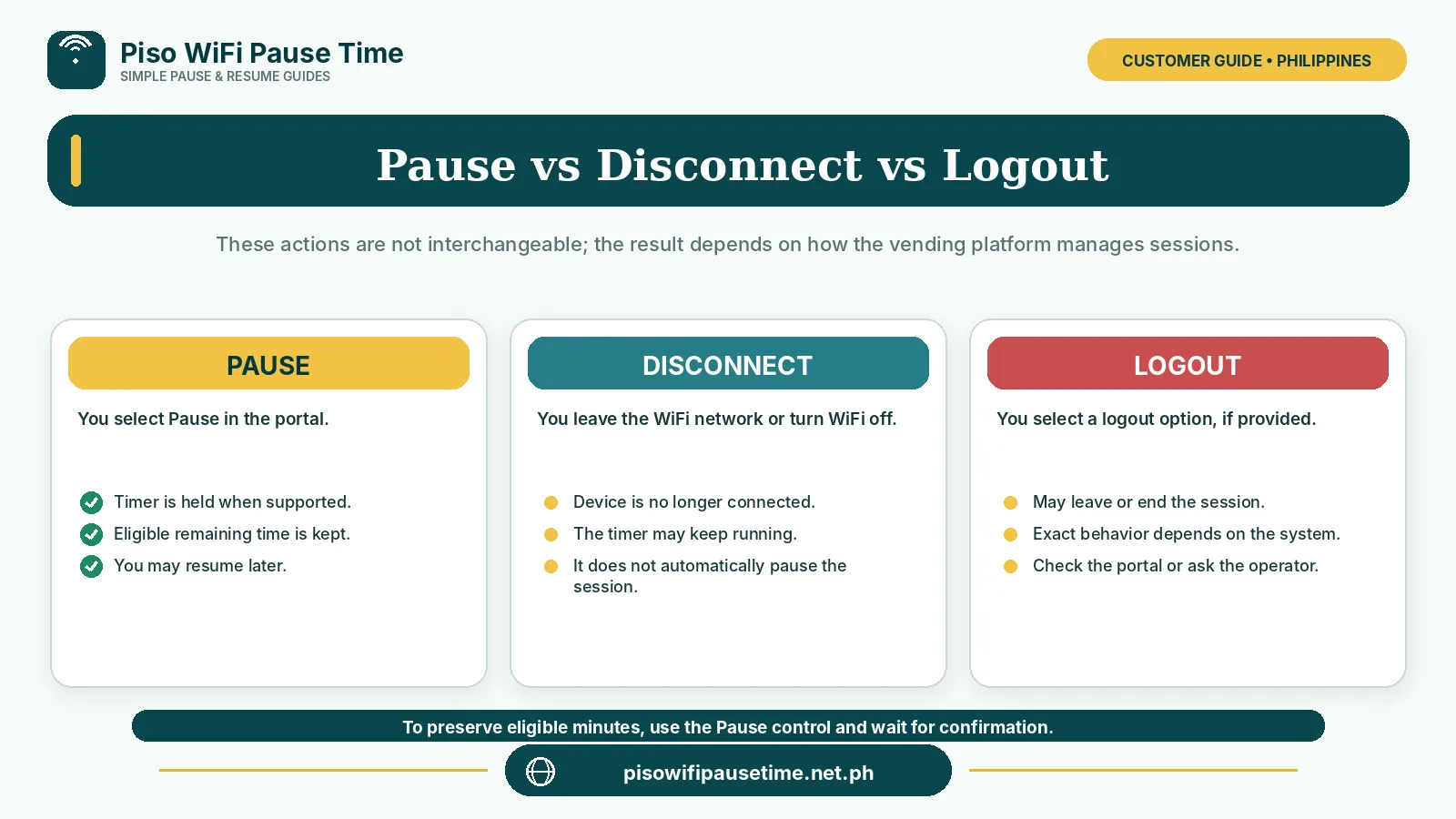
What Happens When You Turn Off WiFi Without Pausing?
Your session may continue running even if your phone disconnects. Some systems have automatic disconnection or inactivity settings, but these are not universal. Use the Pause control and wait for confirmation when it is available.
Does Walking Away From the Vendo Machine Stop the Timer?
No. Walking away does not automatically mean your session is paused. The system follows its configured rules. Check the portal before leaving.
Can Piso WiFi Automatically Pause When Your Phone Disconnects?
Some platforms support automatic pause under configured conditions. The operator must enable and configure the relevant behavior. Do not assume it is available on every machine.
What Happens When You Turn Mobile Data On?
Mobile data is separate from your Piso WiFi connection. Your phone may browse through the cellular network while your Piso WiFi session remains paused or disconnected. This does not mean the Piso WiFi session has resumed.
Does Pausing Use Data or Credits?
A time-based session may track minutes, while a data-based session may track a data allowance. The accounting rules depend on the platform. Do not assume time-based and data-based sessions behave identically.
Pause vs Disconnect vs Logout vs Stop
Action meaning: Temporarily suspends an eligible session.
Removes the device from the WiFi connection.
Leaves or ends a session, depending on the system.
Reactivates a paused session.
Makes a session unavailable after its validity limit.
How Long Can Piso WiFi Stay Paused?
What Is the Maximum Piso WiFi Pause Duration?
There is no universal pause duration. The maximum period depends on the vending software, version and owner settings. Some systems allow administrators to configure a pause limit; others use different rules.
How Many Times Can You Pause a Session?
The number of allowed pauses depends on the platform and configuration. Some systems may restrict pause attempts, while others manage pauses through duration or session-validity settings.
What Happens When the Pause Limit Is Reached?
The result varies. The Pause button may become unavailable, the system may reject another request, or the session may resume or expire according to its rules. Ask the operator for the specific setting.
Does Piso WiFi Automatically Resume After a Certain Time?
Some systems support automatic resume. Others keep a session paused until the customer resumes it or a validity rule applies. There is no universal automatic-resume period.
What Happens If You Leave Your Session Paused Overnight?
The session may remain available or expire, depending on the machine. A maximum pause duration, session expiration rule, scheduled reset or restart may affect recovery. Resume the session as soon as practical rather than treating Pause Time as long-term storage.
Can a Paused Session Expire Even With Remaining Minutes?
Yes. A session can have unused minutes but still become unavailable when its validity period expires. Remaining time does not guarantee unlimited session validity.
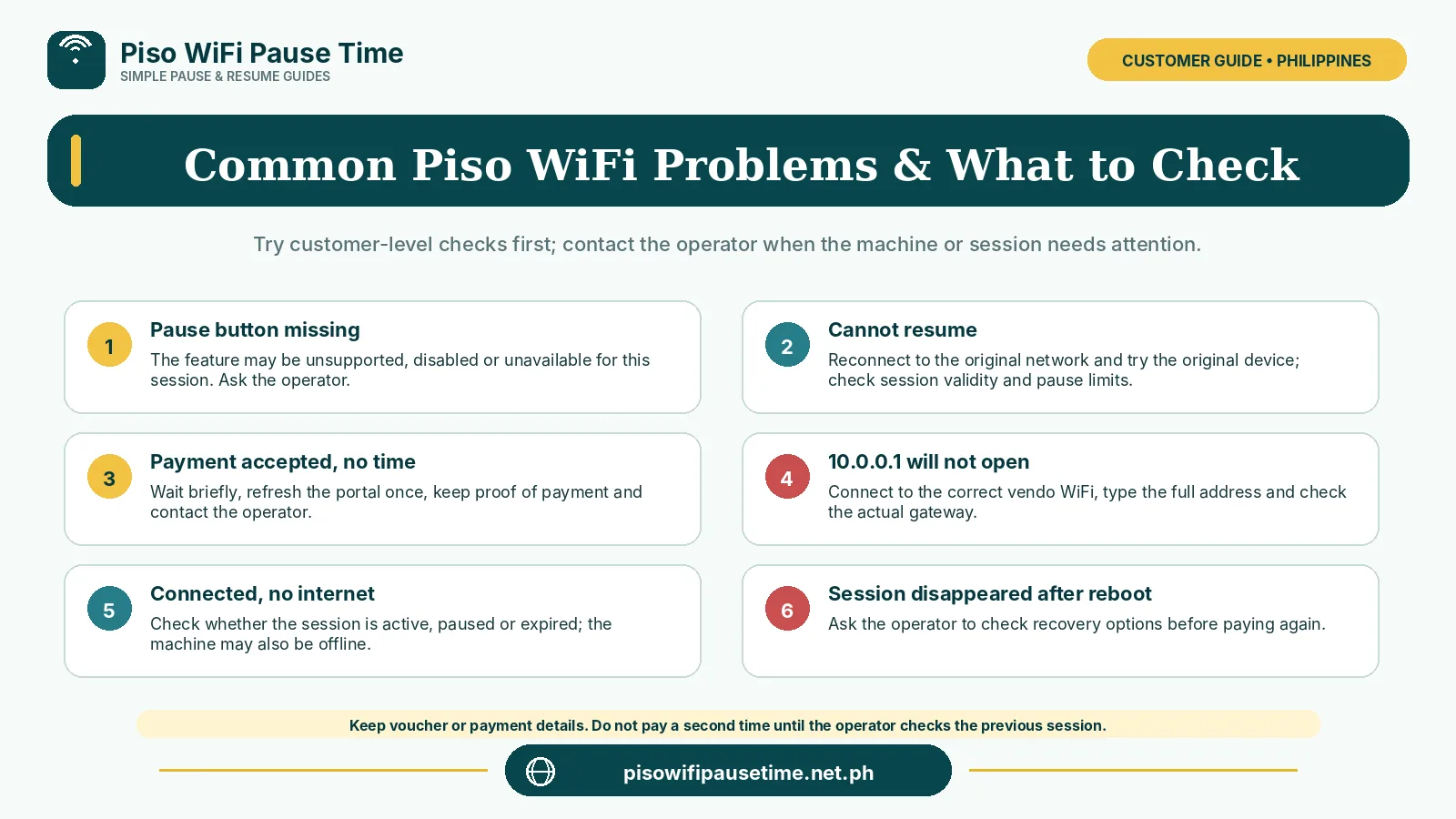
Why Is Piso WiFi Pause Time Not Working?
If the Pause or Resume feature does not work, the cause may be the network, browser, session status or machine configuration. Try the checks below before paying for another session.
| Problem | What to check first |
|---|---|
| Pause button missing | Support, owner settings, session eligibility, correct portal |
| Pause button disabled | Eligibility, pause limit, already paused, refresh once |
| Resume button missing | Validity, original network/device, restart, recovery |
| 10.0.0.1 not opening | Correct WiFi, full address, VPN/data, gateway, browser |
| Connected but no internet | Payment, paused/expired session, machine uplink |
Why Is 10.0.0.1 Not Opening?
- Confirm that you are connected to the Piso WiFi network.
- Enter
http://10.0.0.1directly in the address bar. - Temporarily turn off your VPN.
- Temporarily turn off mobile data if it interferes with local access.
- Check the actual gateway address.
- Try another browser.
- Ask whether the vendo machine is online.
What Should You Check Before Paying Again?
- Are you connected to the original network?
- Are you using the original device?
- Have you opened the correct portal?
- Is the session still within its validity period?
- Can the operator identify your previous session?
Keep your payment confirmation or voucher details and ask the operator to check the previous session before purchasing another one.
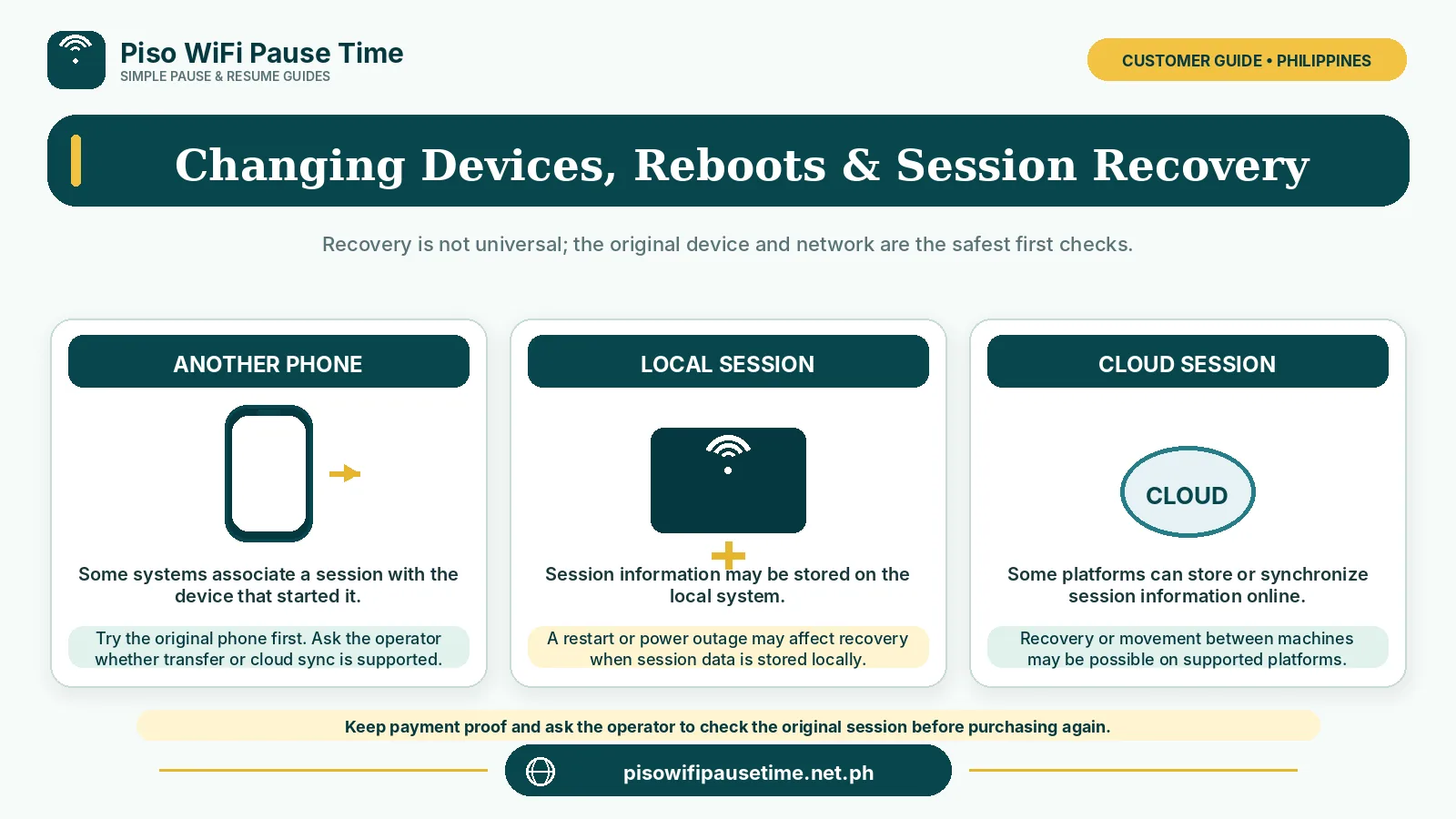
Can You Resume Piso WiFi on Another Device?
Why Is a Piso WiFi Session Associated With a Device?
A vending system may use device information to recognize a customer's session. Some systems use MAC-related information or other session identifiers; others provide cloud synchronization or transfer features.
What Is a MAC Address in Piso WiFi?
A MAC address is an identifier associated with a network interface. Some Piso WiFi systems may use MAC-related information when matching a device to a session. Not every platform uses the same method.
Can You Change Phones and Keep Your Remaining Minutes?
It depends on the platform. If the session is matched to the original device, changing phones may prevent it from appearing. If the system supports session transfer or cloud synchronization, changing devices may be possible. Ask the operator before assuming transfer is supported.
Can You Transfer Piso WiFi Time to Another Device?
Some platforms advertise time-transfer or cloud-session features. LPB advertises cloud session synchronization across supported machines, and PisoFi documentation describes live time-transfer functionality. These are platform-specific features, not a guarantee for every vendo.
Can Randomized MAC or Private WiFi Address Affect a Session?
Android and Apple devices offer WiFi privacy features that can use private or randomized addresses. On systems that rely on device identification, this may affect session recognition. Do not change privacy settings unnecessarily; first ask the operator whether the platform uses MAC-based matching.
What If You Lost Your Original Phone?
Contact the operator, explain when you purchased and paused the session, and provide payment confirmation if available. Ask whether the installed software supports session recovery or transfer.
What Happens After a Piso WiFi Reboot or Power Outage?
Does Piso WiFi Save Paused Sessions After a Router Reboot?
There is no universal answer. Some platforms provide session recovery or cloud storage; other installations may lose session information if recovery is not configured. The operator should check the installed version and documentation.
Local vs Cloud Session Storage
Local session storage
Local session storage keeps session information within the local system or machine.
Cloud session storage
Cloud session storage maintains or synchronizes information through an online service. Cloud synchronization can provide additional flexibility, but it depends on the platform and service availability.
How Does AdoPiSoft Continue Sessions After Reboot?
AdoPiSoft documents session-management settings that can affect session continuation after a reboot. Actual behavior depends on the installed version and configuration. Owners should test recovery using a test session.
How Does LPB Cloud Session Time Work?
LPB advertises a cloud-based session feature that can synchronize customer remaining time across supported LPB machines. This feature belongs to the LPB ecosystem and should not be assumed for other platforms.
How Does PisoFi Handle Power Interruptions?
PisoFi offers configuration options related to session handling and power interruptions. Verify the current documentation and installed settings before promising that every session will survive a power outage.
What Happens to JuanFi Sessions After a Reboot?
JuanFi behavior depends on the installed build and configuration. Check the release and documentation for the version in use rather than assuming every installation restores every session.
What Should Customers Do If a Session Disappears After a Power Cut?
Reconnect to the original network, open the portal, check for the previous session, keep your payment confirmation and contact the operator. Avoid paying again until the operator has checked whether the session can be recovered.
How to Enable Pause Time as a Piso WiFi Vendo Owner
This section is for operators. Customers cannot normally enable Pause Time themselves. The feature must be supported and configured by the owner.
Does Every Piso WiFi Machine Support Pause Time?
No. Check the vending software, installed version, administrator permissions, customer portal configuration and payment mode. A machine may support Pause Time but have it disabled; another version may not provide the same feature.
How to Enable Pause Time in LPB Piso WiFi
Identify the installed LPB version, open the appropriate administrator interface, locate the relevant portal or session configuration, enable the supported Pause/Resume option if available, save and test using a normal customer session. Menu names may differ between versions.
How to Enable Pause Time in AdoPiSoft
Review the official session settings and locate the option that allows customers to pause their time. Relevant settings may include pause limits, session expiration, automatic pause/resume and session continuation. Save changes and test the customer portal.
How to Enable Pause Time in PisoFi
Review the installed version's session-management controls. Depending on the version, settings may cover pause enablement, maximum pause duration, validity, automatic behavior, session transfer and power-interruption handling.
How to Enable Pause Time in JuanFi
Identify the installed build before following instructions. Look for session-related controls in the applicable configuration or portal settings. Feature availability may differ between releases and customized installations.
Insert Coin Mode vs Voucher Code Mode
Insert Coin Mode lets customers purchase time through the machine's coin slot. Voucher Code Mode lets customers enter a purchased code. Session controls may differ between payment modes or portal configurations. Test both if the machine supports them.
Why Is the Voucher Box Missing?
Voucher entry may be disabled, the portal may use another payment method, the software may have a different interface, or the customer may be viewing the wrong page. Owners should check payment and portal settings.
Why Is the Insert Money or Coin Option Missing?
The machine may not support coin payment, the interface may be disabled, coin hardware may be disconnected or the portal may use a different payment configuration. Owners should inspect the hardware and software settings.
How to Set and Edit Piso WiFi Timer Rates
Timer Rates determine how much internet time a customer receives for a payment. Owners should review the payment or timer-rate configuration, update intended values, check validity settings, save and test. Timer Rates are separate from Pause Time; changing the price or purchased duration does not automatically change pause rules.
How to Configure Pause Duration and Session Expiration
- Maximum pause duration: how long a session may remain paused.
- Pause count: how many times a customer may pause.
- Session validity: how long a session remains eligible.
- Session expiration: when the system makes a session unavailable.
- Automatic resume: whether the system resumes under a configured condition.
Not every platform provides all these settings. Use the documentation for the installed version.
How to Test Whether Pause Time Is Working
- Confirm the software version.
- Check that Pause Time is enabled.
- Start a test session.
- Confirm the Pause button appears.
- Select Pause and check that the timer stops.
- Open the portal again and select Resume.
- Confirm the countdown restarts.
- Test relevant pause and expiration restrictions.
How to Inform Customers That Pause Time Is Available
Display a short notice near the machine explaining whether Pause Time is available, how to open the customer portal, how to pause and resume, and any applicable limits. Clear instructions can reduce confusion and support requests.
How to Stay Safe When Using a Piso WiFi Network
Is Piso WiFi Safe to Use?
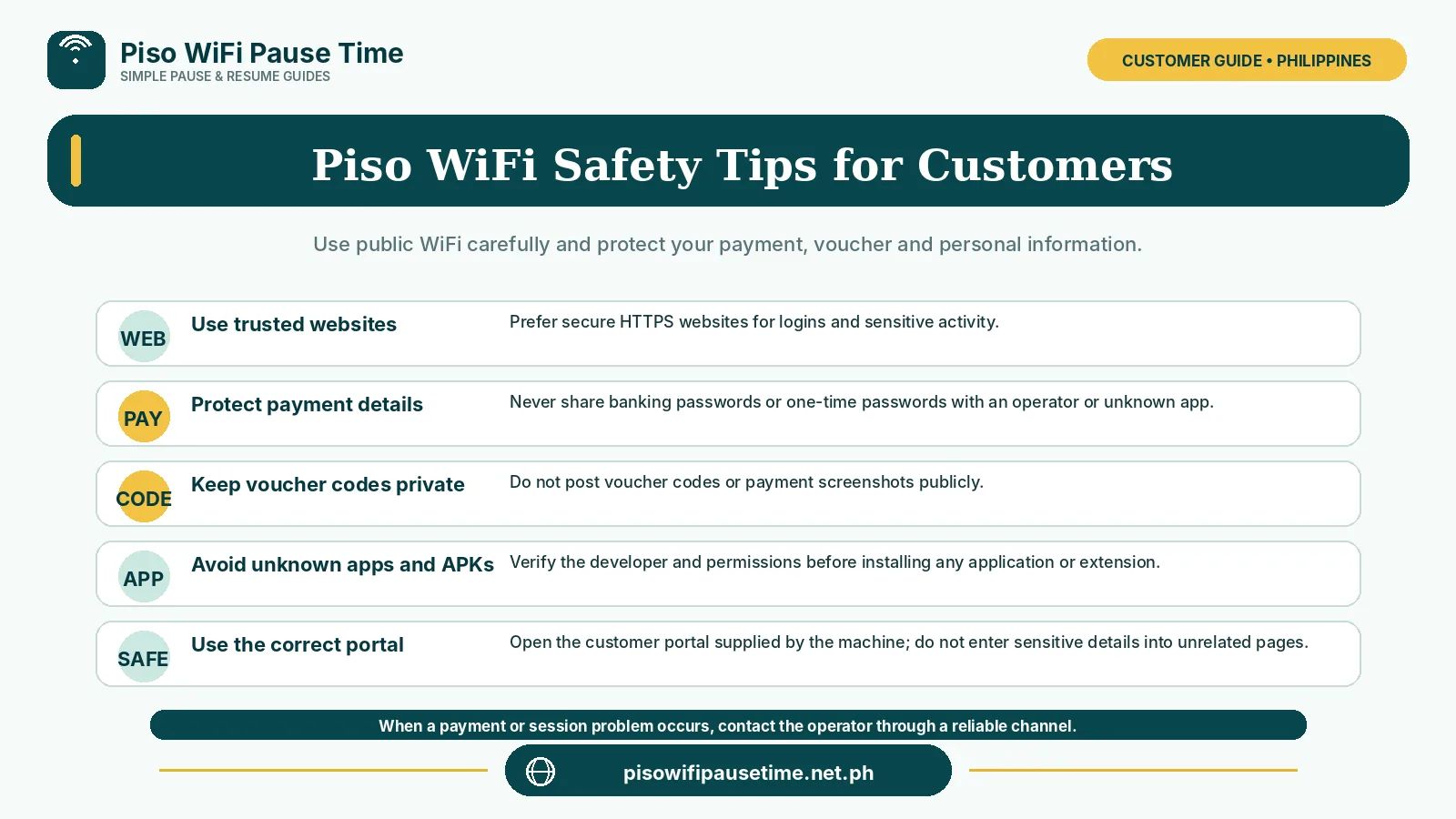
Safety depends on the network configuration and how you use it. Use trusted websites, keep your device updated and do not assume every public WiFi network has identical security settings.
Should You Enter Banking Passwords on Public Piso WiFi?
Be careful when using banking or financial services on networks you do not control. Use a trusted connection for sensitive transactions when possible. Never share banking passwords or one-time passwords with an operator or unknown application.
Why Should You Check HTTPS?
HTTPS helps protect information exchanged between your browser and a website. Check the secure connection indicator on sites that handle personal or financial information. HTTPS alone does not make every public network or local portal trustworthy.
How to Protect Your Voucher and Session Information
- Keep voucher codes private.
- Do not share payment confirmation screenshots publicly.
- Avoid entering sensitive information into unknown websites.
- Use the correct customer portal.
- Do not install untrusted applications.
- Contact the operator through a reliable channel if payment fails.
Security Tips for Vendo Owners
Use strong administrator passwords, keep software updated, restrict administrator access, protect networking equipment, avoid sharing administrator credentials, use secure remote-management settings and review payment/session records when problems occur.
Frequently Asked Questions About Piso WiFi Pause Time
What is Piso WiFi Pause Time?
It is a feature that temporarily stops an eligible prepaid internet session so unused minutes can be preserved according to the machine's settings and session validity.
Can you pause your time in Piso WiFi?
Yes, if the vending machine supports Pause Time and the operator has enabled it. Open the customer portal, find your active session and select Pause.
How do I unpause paused WiFi?
Reconnect to the original network, open the customer portal and select Resume, Resume Time or Continue if the session is still valid.
Why isn't my Piso WiFi Pause Time working?
The feature may be disabled, the session may not be eligible, or the portal may have a network or browser issue. Check the connection and ask the operator whether Pause Time is enabled.
Does Piso WiFi Pause Time save remaining minutes?
That is its purpose. When the pause is accepted, the applicable countdown is intended to stop and preserve unused session time, subject to validity and expiration rules.
How long can I leave Piso WiFi paused?
It depends on the software and operator settings. Some machines have maximum pause durations or session expiration limits.
Does disconnecting WiFi save my remaining time?
Not necessarily. Disconnecting is different from pressing Pause. Unless the system has an automatic pause feature, the countdown may continue.
Is 10.0.0.0.1 the same as 10.0.0.1?
No. 10.0.0.1 is a valid IPv4 address. 10.0.0.0.1 has five parts and is invalid IPv4 notation.
Can I pause Piso WiFi without an app?
Yes, on compatible systems. Use a browser such as Chrome or Safari to open the customer portal and select Pause Time.
Can I resume my session on another phone?
It depends on the platform. Some systems associate a session with the original device, while others support synchronization or transfer.
Why is the Pause button missing?
The machine may not support Pause Time, the operator may have disabled it, or your session may not be eligible.
Does Piso WiFi automatically resume?
Some systems support automatic resume settings, but this is not universal. It depends on the vending software and configuration.
What happens if my Piso WiFi machine reboots?
Some systems support session recovery after a restart, while others may lose session information. The result depends on storage, synchronization and recovery settings.
Can a paused session expire?
Yes. A paused session may still have a validity limit and can become unavailable even when unused minutes remain.
How can a vendo owner enable Pause Time?
The owner must use the administrator interface and enable the supported session-control setting. The exact steps depend on the platform and version.
Conclusion
Piso WiFi Pause Time helps customers manage unused internet minutes when they need a break. Connect to the correct vendo network, open its customer portal, select Pause and confirm that the session is paused. When you return, reconnect and select Resume if the session is still valid.
Different machines use different vending software and settings. If the Pause or Resume button is missing, check your connection and ask the operator about the machine's session rules.
Sources and Further Reading
- LPB Piso WiFi – Official Website
- AdoPiSoft – Official Website and Documentation
- PisoFi – Official Website
- JuanFi – GitHub Releases
- Google Chrome Help
- Apple Support